8 Best Cheap Embroidery Machines Worth Buying (October 2026)
The best cheap embroidery machines include the Brother SE700 for sewing and embroidery in one, the Brother PE545 for wireless embroidery, and the Brother SE600 for a sewing combo with a color screen.
On this page (4 sections)
The Brother SE700 has the highest score in this roundup, combining sewing and embroidery with wireless transfer. The Poolin EOC05 has a wider 4 x 9.25 in area, while the PE535 is an embroidery-only option for basic 4 x 4 in designs.
A lower-cost machine can still do the job if its embroidery area and transfer method match what you plan to make. Decide first whether you need sewing, larger designs or a simple way to add names and small motifs.
For a broader first-machine overview, see our guide to choosing your first embroidery machine. If you are new to supplies and setup, machine embroidery for beginners covers the gear that supports a first project.
Our picks at a glance
-
1

-
2

-
3
Which cheap embroidery machines fit different needs?
The Brother SE700 ranks first because it combines sewing and embroidery with wireless transfer. Lower-ranked picks suit more specific needs, from embroidery-only use to larger designs.
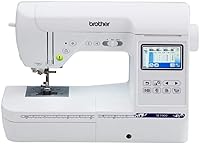
Brother SE700: Best for sewing and embroidery in one
- 4 x 4 in embroidery field
- 135 built-in designs
- 103 sewing stitches
- Wireless file transfer and USB
The SE700 combines sewing and embroidery, with a 4 x 4 in field, 135 built-in designs and wireless or USB file transfer. It suits buyers who want one machine for both jobs.
Pros
- Sews and embroiders
- Wireless and USB file transfer
- 3.7 in color touchscreen
Cons
- Embroidery field is 4 x 4 in
- Intended for use in the US at 120 volts
The SE700 is a flexible pick if you want to sew garments or simple home items as well as embroider them. Its 4 x 4 in field suits smaller designs, and its 135 built-in designs and 10 embroidery fonts give you options before importing your own files.
The 3.7 in color touchscreen lets you preview and edit designs on the machine. Brother supports wireless transfers through Design Database Transfer and the Artspira app, and you can also connect by USB.
This combo has 103 built-in sewing stitches and an automatic needle threader. Its sewing function makes it a useful household machine if you also have projects that involve seams or repairs.
The field remains the main limit: a design wider than 4 in needs another approach or a different machine. Choose the SE700 if you want one machine for both crafts and wireless design options.
Brother PE545: Best for wireless embroidery
- Embroidery-only machine
- 4 x 4 in field
- 135 built-in designs
- Wireless transfer and USB
The PE545 is an embroidery-only machine with wireless transfer, USB and a 3.7 in color touchscreen. Its 4 x 4 in field suits small designs and personal projects.
Pros
- Wireless transfer and USB
- Drag-and-drop design positioning
- 135 built-in designs and 10 fonts
Cons
- Does not sew
- Embroidery field is 4 x 4 in
The PE545 is a choice when embroidery is the only job you need the machine to do. It has the same 4 x 4 in field as the SE700, with 135 built-in designs, 10 fonts and a 3.7 in touchscreen.
You can transfer designs wirelessly or by USB, and the screen supports drag-and-drop positioning and previews before stitching. The included accessories include pre-wound bobbins, needles, scissors and a 4 x 4 in hoop.
This machine does not sew, so it cannot handle garment construction or ordinary repairs. Choose it when you want an embroidery-only setup with wireless transfer and built-in designs.
For other Brother options, compare our Brother embroidery machine guide and Brother SE600 vs SE700 comparison.
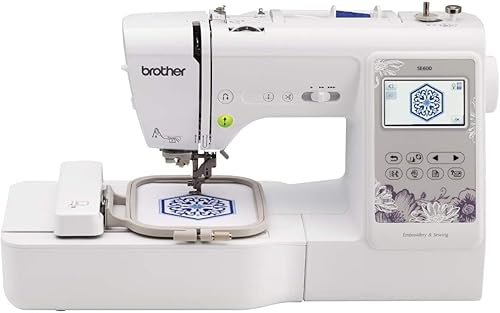
Brother SE600: Best for a sewing combo with a color screen
- Sewing and embroidery combo
- 4 x 4 in field
- 80 built-in designs
- 103 sewing stitches
The SE600 pairs sewing with embroidery and includes 80 designs, 6 embroidery fonts and 103 sewing stitches. Its 3.2 in color touchscreen lets you preview designs before stitching.
Pros
- Sews and embroiders
- 103 built-in sewing stitches
- Color design preview
Cons
- Embroidery field is 4 x 4 in
- Fewer built-in designs than the SE700
The SE600 combines sewing and embroidery, with 80 built-in designs, 6 embroidery fonts and a 4 x 4 in embroidery field. Its 3.2 in color touchscreen lets you preview designs before stitching.
Its 103 built-in sewing stitches and automatic needle threader make it an option if you need a regular sewing machine as well. The SE700 has more built-in embroidery designs and a larger touchscreen.
The SE600 fits buyers who want a combo machine and can work within a 4 x 4 in embroidery area. See our Brother SE600 vs SE700 comparison if you are deciding between the two.
Brother PE535: Best for basic embroidery with USB

- Embroidery-only machine
- 4 x 4 in field
- 80 built-in designs
- USB design import
The PE535 keeps the focus on embroidery, with an included 4 x 4 in hoop, USB import and 80 built-in designs. It is a straightforward match for small lettering and motifs.
Pros
- USB design import
- 9 built-in fonts
- Color touchscreen
Cons
- Does not sew
- Embroidery field is 4 x 4 in
The PE535 focuses on embroidery, with an included 4 x 4 in hoop and USB design import. Its 80 built-in designs include children’s, floral and holiday patterns, and the machine has 9 lettering fonts.
A 3.2 in color touchscreen lets you preview designs before stitching. The PE535 does not sew, so choose it when you already have a sewing machine or do not need sewing functions.
This is a straightforward pick for small names and motifs when USB transfer is enough. For more setup advice, see how to use an embroidery machine for the first time.
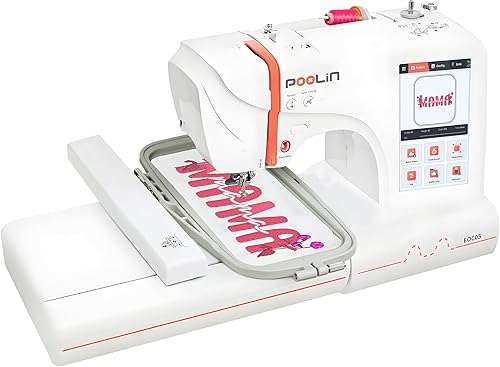
Poolin EOC05: Best for a wider embroidery field
- 4 x 9.25 in and 4 x 4 in hoops
- 7 in color touchscreen
- WiFi and USB transfer
- Starter supplies included
The EOC05 includes 4 x 9.25 in and 4 x 4 in hoops, plus WiFi and USB transfer. It is an embroidery-only choice for buyers who want room for longer designs.
Pros
- Two hoop sizes included
- WiFi and USB transfer
- Starter supplies included
Cons
- Does not function as a sewing machine
- Not intended for commercial mass production
The EOC05 stands out for buyers who want a larger embroidery field for personal projects. It includes 4 x 9.25 in and 4 x 4 in hoops, along with a 7 in color touchscreen.
WiFi and USB transfer give you more than one way to move designs, and the package includes starter supplies. Poolin describes it as an embroidery-only machine for personal projects, not commercial mass production.
Its wider area is useful for longer designs on shirts, hoodies, bags and gifts. Choose it if those projects matter more than having a sewing function.
Poolin EOC03: Best for two included hoop sizes

- 4 x 4 in and 4 x 9.25 in areas
- 130 built-in designs
- 8 fonts
- WiFi design transfer
The EOC03 offers 4 x 4 in and 4 x 9.25 in embroidery areas, 130 designs and 8 fonts. Its included starter kit supports home projects such as shirts, bags and towels.
Pros
- Two embroidery sizes
- 130 built-in designs
- WiFi design transfer
Cons
- Does not sew
- Newer model with limited buyer feedback
The EOC03 offers two embroidery sizes, 4 x 4 in and 4 x 9.25 in, plus 130 built-in designs and 8 fonts. Its WiFi transfer and included starter kit are aimed at home DIY projects.
The two sizes let you choose between smaller motifs and longer designs. It is embroidery only, so you will still need another machine for sewing.
This model fits if you want more design choice and both embroidery sizes included. The Brother PE545 is an alternative if you prefer a 4 x 4 in machine with a color touchscreen and USB transfer.
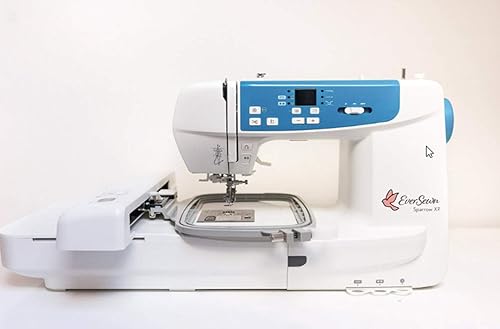
EverSewn Sparrow X2: Best for larger designs and sewing
- Sewing and embroidery combo
- Maximum embroidery area of 4.75 x 7 in
- Two hoops included
- Device-controlled embroidery
The Sparrow X2 combines sewing and embroidery, with two hoops and a maximum embroidery area of 4.75 x 7 in. Embroidery functions are controlled through a compatible smart device.
Pros
- Larger embroidery area than 4 x 4 in picks
- Sewing and embroidery functions
- Reads common formats including PES and DST
Cons
- Embroidery control depends on a smart device
- Compatibility details matter for your device
The Sparrow X2 is the pick for buyers who want a combo machine with a larger embroidery area. It includes two hoops and has a maximum area of 4.75 x 7 in, which gives more room than a 4 x 4 in field.
Its embroidery functions are controlled through a smart device, and it works with Apple or Android devices without requiring WiFi. It also sews, with more than 120 stitch patterns.
Check device compatibility before choosing it, since the embroidery controls depend on a smart device. It fits someone who wants a wider embroidery area and sewing functions in one machine.
Brother Skitch: Best for app-based small projects

- 4 x 4 in embroidery area
- Bluetooth connection to Artspira
- Embroidery-only machine
- Imports PES, PHC, PHX and DST files
The Skitch is an embroidery-only option built around the required Artspira app and Bluetooth transfer. It suits buyers who want to create or send small designs from a mobile device.
Pros
- Bluetooth design transfer
- Imports several common embroidery formats through Artspira
- Small 4 x 4 in embroidery area
Cons
- Requires the Artspira app
- Does not sew
The Skitch suits small app-led projects if you use a phone or tablet for design work. It has a 4 x 4 in embroidery area and connects to the required Artspira app through Bluetooth.
The free version of Artspira can import PES, PHC, PHX and DST files, with up to 20 designs stored in the app at a time. The Skitch is embroidery only, so it does not sew.
Choose it for mobile design workflows and small embellishments. If you want a machine with built-in designs and a touchscreen, compare it with the PE545.
What should you compare before buying a cheap embroidery machine?
Compare embroidery area, machine type and design transfer to find a cheap embroidery machine that fits your projects. A 4 x 4 in field may not suit a large chest design, and an embroidery-only model cannot sew.
Does a cheap embroidery machine also sew?
Combo machines include both functions, while embroidery-only machines focus on stitching designs. The SE700, SE600 and Sparrow X2 are combos; the PE535, PE545, both Poolin models and Skitch are embroidery only.
If you do not own a sewing machine, a combo can reduce the need for a second machine. If you only want to personalize ready-made items, an embroidery-only model may be enough.
Is a 4 x 4 in embroidery area large enough?
A 4 x 4 in field covers small names, monograms and motifs. The Poolin EOC05 and EOC03 include 4 x 9.25 in options, while the Sparrow X2 has a maximum area of 4.75 x 7 in.
Measure the design you want to stitch, not just the garment. Our large hoop embroidery machine guide can help if larger placements are a regular goal.
How will you transfer designs to a cheap embroidery machine?
Transfer methods differ across these picks. The Brother SE700 and PE545 support wireless transfer and USB, the PE535 uses USB, the Poolin EOC05 and EOC03 support WiFi, and Skitch transfers through the required Artspira app by Bluetooth.
The Sparrow X2 uses a compatible smart device for embroidery control. Check that your phone, tablet or computer fits the workflow before choosing a machine around an app or software.
What supplies do you need for embroidery?
A first project also needs suitable embroidery thread, bobbin thread and stabilizer. Some machines include starter supplies, but you should still choose materials for the fabric and design you plan to stitch.
Our machine embroidery thread sets for beginners guide covers thread choices, and the tear-away stabilizer guide explains when that backing may suit a project.
How did we choose these cheap embroidery machines?
We compared the features that affect home projects: embroidery area, machine type, built-in patterns, file transfer and included hoop sizes. The scores weigh those features against the needs of someone shopping for a lower-cost home machine.
Our score weighs specs, features and buyer feedback against what you’re shopping for. The order reflects how broadly each machine can serve a home user, with specialized options ranked for the projects they fit.
Which cheap embroidery machine should you choose?
Choose the SE700 if you need sewing and embroidery with wireless transfer, or the PE545 if you want embroidery-only operation with a touchscreen. For larger designs, compare the Poolin EOC05, Poolin EOC03 and Sparrow X2 by their embroidery areas.
For small names or motifs, the PE535 is a USB option. Before buying, check your project dimensions and read our home embroidery machine cost guide for other costs that can shape a starter setup.
| Product | Best for | Embroidery area | Machine type | Designs | Our score |
|---|---|---|---|---|---|
| Brother SE700 | sewing and embroidery in one | 4 x 4 in | Sewing and embroidery combo | 135 built-in designs | 8.8 |
| Brother PE545 | wireless embroidery | 4 x 4 in | Embroidery only | 135 built-in designs | 8.2 |
| Brother SE600 | a sewing combo with a color screen | 4 x 4 in | Sewing and embroidery combo | 80 built-in designs | 8.0 |
| Brother PE535 | basic embroidery with USB | 4 x 4 in | Embroidery only | 80 built-in designs | 7.8 |
| Poolin EOC05 | a wider embroidery field | 4 x 9.25 in and 4 x 4 in hoops | Embroidery only | 7.7 | |
| Poolin EOC03 | two included hoop sizes | 4 x 4 in and 4 x 9.25 in | Embroidery only | 130 built-in designs | 7.3 |
| EverSewn Sparrow X2 | larger designs and sewing | Up to 4.75 x 7 in | Sewing and embroidery combo | Over 100 included | 6.9 |
| Brother Skitch | app-based small projects | 4 x 4 in | Embroidery only | 6.6 |
Our top 3 picks at a glance
-
1
-
2
-
3
Frequently asked questions
What is the best cheap embroidery machine for a beginner?
The Brother SE700 has the highest score in this roundup and combines sewing with embroidery. If you want an embroidery-only machine, compare the PE545 and PE535 by their built-in designs, screen and transfer options.
Check that the machine type and embroidery area fit the projects you plan to make.
Can a cheap embroidery machine also sew?
Yes. Combo machines such as the Brother SE600, SE700 and EverSewn Sparrow X2 include sewing and embroidery functions.
The PE535, PE545, Poolin EOC05, Poolin EOC03 and Brother Skitch are embroidery-only machines, so they do not replace a traditional sewing machine.
Is a 4 x 4 in embroidery area enough?
A 4 x 4 in field works for small names, monograms and motifs that fit within that space. Larger designs may need a wider field or careful repositioning between sections.
Compare the design size with the machine's embroidery area before you buy.
Our 4 x 4 vs 5 x 7 embroidery machine guide explains the tradeoff.
What should I check before buying an inexpensive embroidery machine?
Start with the machine type, embroidery field, included hoop sizes and how it transfers designs. Then check whether it works with your devices and whether you need built-in designs, USB, wireless transfer or an app.
For your first projects, budget for thread, stabilizer and suitable needles too.