Is a Home Embroidery Machine Worth Buying?
A home embroidery machine is worth it when you have several projects in mind and will use it often. To decide if an embroidery machine is worth it for you, match its hoop, design transfer and sewing features to the items you plan to make.
On this page (8 sections)
- Is an embroidery machine worth it for your projects?
- What costs and time should you count?
- Do built-in designs and easy transfers matter?
- Is a sewing-and-embroidery combo worth it?
- How do you set up and care for a home embroidery machine?
- What mistakes make a home machine a poor fit?
- What can you make often enough to justify buying one?
- Is an embroidery machine worth it for you?
A home embroidery machine is worth it when you have several items to personalize and expect to use it regularly. If you’re asking whether an embroidery machine is worth it for your plans, start with the projects you can name, not a vague idea of making “something someday.”
Names on towels, small clothing details and repeat gifts can make owning a machine useful. One occasional gift may be simpler to order from an embroidery service, especially if you don’t already have the supplies or space to work.
The right choice depends on the size of your designs, how you want to send them to the machine, and whether you need sewing functions too. A small hoop can handle many personal projects, but it sets a firm limit on the design area.
Is an embroidery machine worth it for your projects?
It is more likely to be worth it when you can list several projects you expect to make this year. Regular use gives you more chances to learn setup and put the machine’s design area and features to work.
Consider how often you’ll embroider, whether you’ll use existing designs or create your own, and what items you want to personalize. The machine stitches the design, but you still prepare the fabric, choose stabilizer, hoop the work, thread the machine and transfer a file.
If you’re still figuring out the basic steps and supplies, start with machine embroidery for beginners. If sewing is also on your list, account for that before choosing an embroidery-only model.
A useful test is to write down three specific projects and check whether each can fit the machine’s embroidery area. If you can’t yet name the projects, wait and learn more about the process before setting aside space and money for a machine.
What costs and time should you count?
Count supplies, design access, setup and your time along with the machine. Thread, stabilizer, needles, garments or fabric, and embroidery files can all affect the effort and cost of finishing a project.
A design that fits the hoop still needs suitable fabric and stabilizer. You’ll also need to learn how to hoop fabric evenly, transfer a compatible design and manage thread changes.
There isn’t a universal number of projects that makes a machine pay for itself. Compare the machine and supply costs with what you expect to spend on embroidery services, then read how much a home embroidery machine costs for a closer look at budgeting.
Space and setup count too. Choose a stable surface where the machine can stay ready, with enough room to position fabric and reach the controls; a machine that has to be packed away after every use is less convenient for quick projects.
Is a 4 x 4 embroidery machine worth it?
A 4 x 4 machine can be worth it if you mainly want names, small motifs and compact designs. The embroidery area sets the largest design the machine can stitch at once, so compare it with your actual project sizes before choosing.
The Brother Skitch has a 4 x 4 in embroidery area and connects to the required Artspira app by Bluetooth. The free app version lets you import and store up to 20 designs, and the Skitch is embroidery-only.
Choose the Skitch if you have limited craft space and are comfortable using a mobile app to send designs. Skip it if you need sewing functions, want a larger embroidery field, or prefer a workflow that doesn’t depend on an app.
Before buying any machine with a small hoop, make a list of the biggest designs you want to stitch. If they won’t fit, look at embroidery machines with larger hoops and compare their work areas with your planned projects.
Do built-in designs and easy transfers matter?
Built-in designs and clear transfer options help if you want to start with ready-made patterns and lettering. Decide whether you’d rather choose designs on the machine, send files from a computer or draw and transfer patterns through an app.
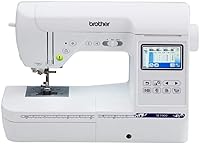
The Brother PE545 is embroidery-only, with a 4 x 4 in field, 135 built-in designs and 10 built-in fonts. It supports wireless transfer and USB, and its color touchscreen lets you position and preview designs.
The PE545 suits someone who expects to personalize gifts or garments with existing patterns and lettering, and wants to position designs on the screen before stitching. Its 4 x 4 in field still limits the size of each design.
Check the transfer workflow before deciding. A machine may support an app, wireless transfer, USB or more than one method, but each has different setup steps; pick the option you’re most likely to use consistently.
Is a sewing-and-embroidery combo worth it?
A combo is worth considering if you also need a sewing machine. It puts both functions in one unit, though the embroidery field may still be limited.
The Brother SE700 combines sewing and embroidery, with a 4 x 4 in embroidery field, 135 built-in embroidery designs and 10 embroidery lettering fonts. It also has 103 built-in sewing stitches, wireless transfer, USB and a touchscreen for embroidery edits and previews.
Choose the SE700 if you’ll use both the sewing and embroidery functions and want one machine for both jobs. If you already own a sewing machine, the added sewing features may not be useful; compare embroidery-only options instead.
For a closer look at the sewing side, see Brother SE600 vs SE700. The comparison can help you decide whether the SE700’s combination of sewing and embroidery functions suits your needs.
How do you set up and care for a home embroidery machine?
Start with a compatible design, suitable stabilizer and fabric hooped evenly. Careful preparation helps prevent shifting, puckering and thread problems that can waste material.
Read the setup instructions for your machine, thread it as directed, and make sure the fabric is secure in the hoop without stretching it out of shape. Use a design format the machine accepts, then position and preview the design before starting.
Keep the work area and machine free of lint, and follow the manual for cleaning and any required maintenance. Replace a bent or dull needle, and rethread when stitches look uneven or thread breaks; a new machine still needs regular care.
For your first project, choose a small design on stable fabric rather than a stretchy garment or a large, detailed pattern. That gives you room to learn how the machine handles thread, fabric and stabilizer before you risk a favorite item.
What mistakes make a home machine a poor fit?
Buying for imagined projects, overlooking hoop limits and underestimating setup are common ways to end up with a machine you rarely use. Check your real sewing and embroidery needs before deciding.
A 4 x 4 in field is suitable for small designs, but it can’t stitch a single design larger than that area. Splitting a design into sections requires careful alignment and adds steps, so it isn’t a simple replacement for a larger hoop.
Another mistake is choosing a transfer method that feels awkward for your routine. Check whether you’ll use an app, a wireless connection or USB, and make sure the machine’s supported file formats work for the designs you want.
Finally, don’t treat embroidery-only machines as sewing machines. If you want to hem, repair or construct garments as well as add designs, choose a combo or plan to keep using a separate sewing machine.
What can you make often enough to justify buying one?
A machine makes more sense when you have repeat projects that suit its embroidery area. Personalized towels, small clothing details and gifts are examples to consider before picking a model.
Browse what you can make with a home embroidery machine to match ideas with the machine’s limits. If you mainly want to decorate shirts, read what to know before embroidering T-shirts because fabric and stabilization affect the process.
Is an embroidery machine worth it for you?
Buy a home embroidery machine if you have repeat projects, room to set it up and a workflow that fits your habits. Hold off if you only have one idea, don’t want to learn fabric preparation, or need designs larger than the available hoop.
Pick the Skitch for small projects if you’re comfortable using its required app. Choose the PE545 if built-in designs, lettering and touchscreen positioning fit your plans; choose the SE700 if you also need sewing functions.
Still unsure? List three projects and confirm their size and fabric.
Check their design transfer needs before you buy. Machine embroidery for beginners can help you understand the setup and supplies you’ll need.
Frequently asked questions
Is buying an embroidery machine worth it for beginners?
It can be worth it if you have projects ready and are willing to learn hooping, stabilizer, thread, and design transfer. A beginner who wants a guided start may prefer a machine with built-in designs and an on-screen preview.
If you only want to try one small project, a class or local embroidery service may cost less.
Can an embroidery machine save money?
It may save money when you personalize items often and already have a plan for thread, stabilizer, blanks, and designs. Savings depend on how many projects you make and what outside embroidery would cost.
Count setup supplies and software or app needs, not only the machine, before deciding.
Should I buy an embroidery-only or sewing-and-embroidery machine?
Choose embroidery-only if you already sew or only want to add designs. Choose a combo if you also need a sewing machine and want both functions in one unit.
Check the embroidery area and transfer method either way, since a combo machine may still have a small embroidery field.
What should I check before buying a home embroidery machine?
Check the largest design area, supported file formats, how designs transfer, and whether it also sews. Then consider where it will sit and what supplies you will need.
Match those details to projects you expect to make, such as names on towels, small designs on clothing, or larger hoop work.